
A New Milestone in AI: From Conversation to Action
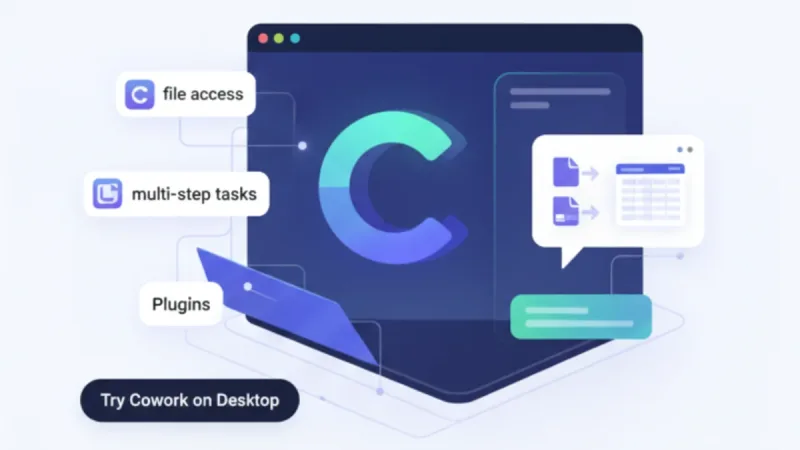
January 2026 brought a fresh wave of change to the artificial intelligence industry, courtesy of Anthropic and its new release, Claude CoworkClaude Cowork. This tool goes beyond the AI chat services we've grown used to: it actually lets the AI read files on your computer, edit them, and create new ones from scratch.
Until now, most of our experience with AI has been "conversational." You ask a question and it answers; you ask it to write something and it hands back a block of text. Claude Cowork upends that paradigm entirely.
If earlier AI services played the role of "advisor" or "writer," Claude Cowork acts as a "doer." Rather than simply offering answers, it carries out the work itself and produces finished results. It marks the moment AI evolved from a mere information tool into a genuine working partner.
What Sets Cowork Apart: Autonomy and Persistence
Claude Cowork's defining trait is its agencyAgency. When you request a task, the AI draws up its own plan and works through it step by step. Instead of waiting for fresh instructions at every turn, as older AI services did, it sets a goal once and then strives to see it through to the end.
It can also handle work in parallel. There's no need to wait for one task to finish before starting another—queue up several jobs and the AI tackles them simultaneously. The experience feels much like handing off multiple assignments to a real colleague.
Putting It to Work: AI Collaboration Even Non-Techies Can Master
The Basics: Granting Folder Access
Using Claude Cowork is surprisingly simple. First, download the Claude app for macOS and select "Cowork" from the sidebar. Then just designate the folders the AI is allowed to access.
For security, the AI can only reach folders you've explicitly authorized. Any folder holding sensitive personal files or confidential work stays invisible to the AI unless you grant permission—so you can use it with peace of mind.
Real-World Use Cases for Business Students
Organizing and analyzing documents: Drop all those receipt screenshots into a single folder, and the AI reads them automatically and builds a spreadsheet of your spending. It sorts membership dues, textbooks, meals, and more into categories, and even gives you monthly breakdowns.
Help with writing reports: If the material you've gathered for a group project or internship report is scattered everywhere, the AI pulls it all together into a structured first draft. It analyzes PowerPoint decks, Word documents, and even PDFs downloaded from the web, then organizes everything into a single polished document.
Organizing and visualizing data: It tidies up survey results or market-research data in Excel and automatically generates graphs and charts. Even if your statistics knowledge is shaky, the AI suggests an appropriate analytical approach and carries it out.
Game-Changing Uses in the Workplace
Marketing and Planning
Marketing teams can use Claude Cowork to manage campaign materials in a systematic way. It can automatically generate presentations that adhere to brand guidelines, or pull together performance data from multiple channels into a single insight report.
It's especially handy for planning social media content. Drawing on trend analyses and past posting data, the AI builds a content calendar and optimizes each piece for the specific platform it's headed to.
HR and Administration
HR teams can consolidate employee evaluation materials to draft promotion recommendations, or compile training certificates and credential records to build a talent database. Updating various forms and manuals is another task that can be handed off to the AI.
Finance and Accounting
The AI automatically reads scanned image files of receipts and invoices and formats them for entry into accounting software. It can also generate month-end closing materials and budget-versus-actual performance reports automatically, dramatically improving efficiency.
Safety and Limitations: What You Need to Know
Security and Privacy
Claude Cowork is designed so that it can only access the folders and connected tools you've explicitly authorized. It also always checks in with you before performing any significant task. Still, because the AI has the power to delete or modify files, it's wise to keep separate backups of anything important.
The Risk of Prompt Injection
There's also a chance the AI could stray from its original plan after encountering malicious content on the internet. Anthropic has built systems to defend against these "prompt injection" attacks, but they aren't yet foolproof. That's why it's important to give the AI clear, specific instructions when you assign it a task.
Looking Ahead: A New Standard for AI Collaboration
Claude Cowork is currently in research preview, available only on macOS and only to paid subscribers. A Windows version is on the way, however, along with plans to add cross-device syncing.
The arrival of AI agent tools like this is expected to fundamentally reshape the workplace. Routine, repetitive tasks can be handed to the AI, freeing humans to focus on more creative and strategic work. In particular, as even office workers with no coding knowledge gain the ability to collaborate with AI, productivity breakthroughs look set to ripple across every industry.
Claude Cowork is more than just another AI tool—it may well mark the starting point for a new model of collaboration in which humans and AI work side by side. We are entering an era where knowing how to make use of AI is no longer optional, but essential.